
Thursday, 6 March 2014
production of ancillary text

Wednesday, 5 March 2014


Wednesday, 26 February 2014
Digipak template
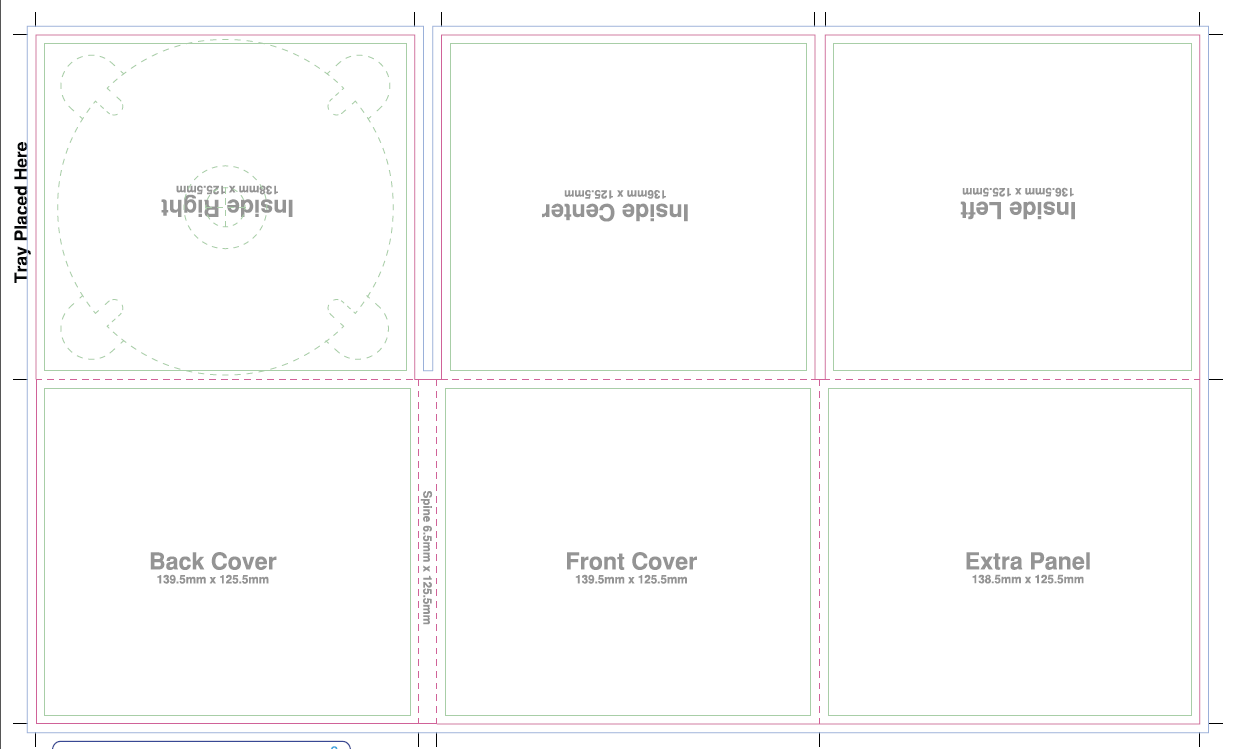
Tuesday, 25 February 2014
Possible Images for Digipak and Tour Poster


.JPG)

.JPG)


.JPG)

I couldn't decide on a style to use so I took a selection of photos so that I can have a play around in Photoshop to make a few digipaks and tour posters and see which style looks better.

[http://www.fontspace.com/david-rakowski/dubiel]
Saturday, 18 January 2014

Wednesday, 15 January 2014

Wednesday, 18 December 2013
Album Cover research


For my genre, (alternative rock/ folk rock) album covers don't usually show the artist but usually show something relating to the song or album name. For my digipak cover, I will follow this convention and not use an image of my artist however I will take some pictures of my artist to use either on other sections of the digipak or on a promotional poster. Because my chosen song is about how the artist is a pessimist I will use an image relating to this such as a half empty glass. However a lot of artists of these genres use images of forests and other nature-esque images (as shown in the Kodaline EP at the top) so I might try something like that. Most of the albums are packaged in a card sleeve rather than a traditional plastic CD box. This is primarily to save money so that the artist can afford to sell the album at a much lower price and still make a profit but it is also to make the album sleeve easily recyclable.
Subscribe to:
Posts (Atom)